Canopy Newsletter 21 - April 2026
April 2026
More & Faster Sims
As announced in the vibe coding with Canopy technical article, from 1st May we are upgrading compute allocations to help users make the most of the Canopy API. Medium subscribers will receive 50,000 compute credits, Heavy will receive 200,000 credits, and Super subscribers will enjoy unlimited usage.
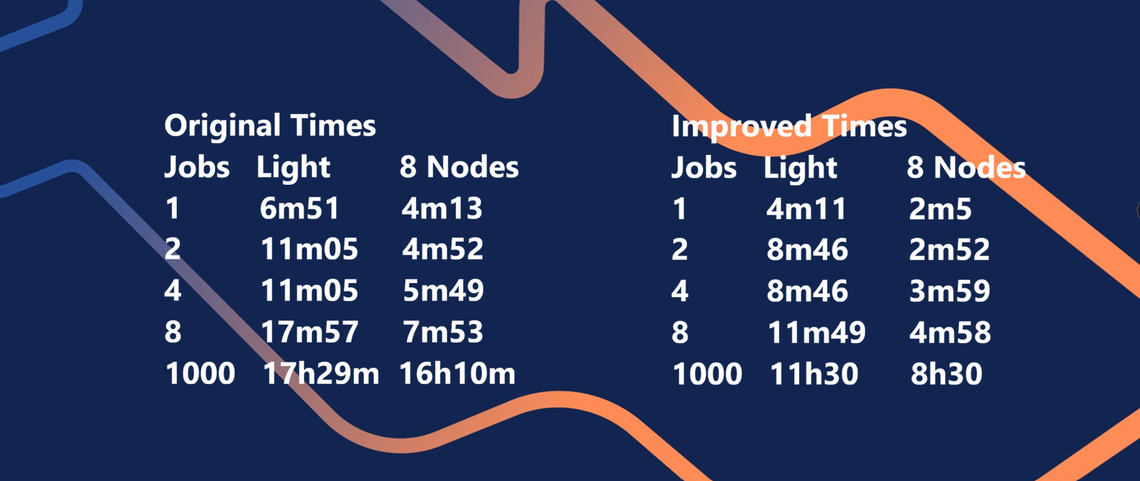
One of the key objectives for 2025 was to increase speed. Dynamic Lap runs are now 49% faster for Speedy Pool users, and simulation time on standard nodes has been reduced by 39%, meaning less waiting during mission‑critical times.
Simulation Retry
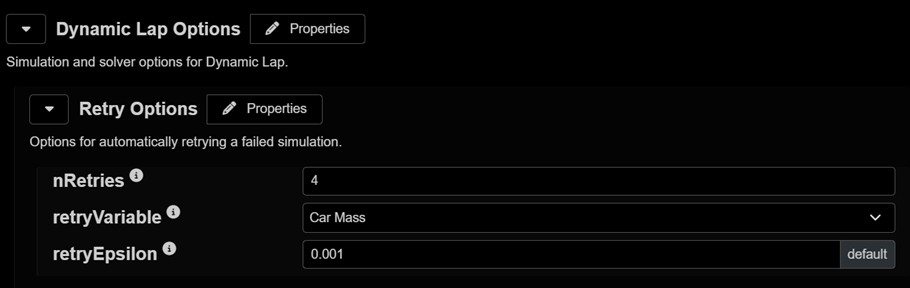
The most requested feature is the ability to re‑run failed exploration jobs. Dynamic Lap Retry Options address this by slightly adjusting car mass and re‑running the simulation. Simply enable this option when staging a run.
This is intended for minor reliability issues. For major failures, please continue opening Support tickets so the root cause can be addressed.
Robustness
A concerted effort has gone into reliability, clarity, and workflow usability:
Replaced generic error codes with clear, human‑readable messages
Improved Dynamic Multi‑Lap reliability, including tyre and brake wear constraints
Significantly expanded automated testing coverage
Reworked the deployment pipeline for faster, more reliable releases
Fixed numerous edge‑case stability issues across niche model combinations
Improved gLat and gLong signals on banked tracks
Fixed defects in battery limits, side‑shaft limits, cross‑linked torsion bars, and thermal and power evolution
Reduced UI page reloads and improved stability by maturing authentication handling
Eliminated site slowdowns after large simulation version sweeps through improved memory management
Improved config editor responsiveness
Filtered NaNs from worksheet statistics so failed jobs no longer disrupt summary views
UI
Additional usability improvements include:
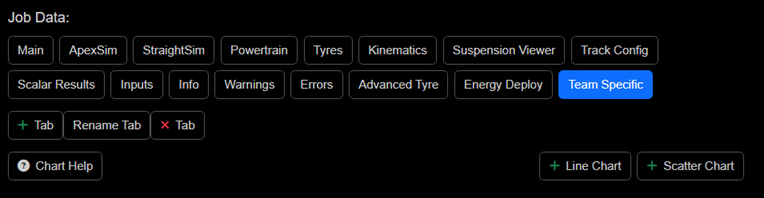
Custom tabs and charts can now be created alongside standard simulation output charts, simplifying repeat analysis of common tasks
The last‑viewed tab is remembered to reduce unnecessary navigation when iterating
The job count is now shown directly in the submit button to avoid unexpected job sizes
A Manage Components button has been added to Car, Weather, Track, and other configs, allowing management of saved .json component snippets stored in the cloud
Browser tabs now use meaningful names rather than all appearing as “Canopy Simulations”
Explorations now display both the base and perturbed parameter values, removing the need to switch back to the config
Worksheet usability enhancements, including the ability to create a new configuration directly from a worksheet
New Simulation Functionality
Expanded series‑specific models
New powertrain and suspension models for additional racing series
Improved outputs for deeper analysis
Added/updated signals:
Tyre contact patch location
Camber signals
These support setup sensitivity and correlation workflows
Distance‑dependent control features
Power targeting in defined zones
Energy limiting in zones, greater realism for simulation and correlation
Improved EV modelling robustness
SOC‑aware motor power targeting derates
Corrected battery VI/load limiting behaviour in high‑demand edge cases
Enhanced motor slew‑rate modelling
Torque‑loss scaling options
RMS power calculation fixes
Expanded map inputs
More inputs now available across: Differential, Torque transfer, Brake thermal, Aero maps
DiL Improvements
Improved real‑time behavior and more robust reset logic
Refined throttle and shift responses
Enhanced numerical stability during kerb strikes
Corrected output handling and frame consistency
Increased stability of the external tyre model
More consistent behavior across distributions
Expanded support for additional .lic file formats
Added support for the v143 (Visual Studio 2022) compiler
Introduced jsonReaderSFun, enabling direct access to car configuration data within Simulink
Simix
Need more than a standard .tir file?
For teams whose simulation needs go beyond generic tire files, MICHELIN SIMIX delivers a powerful upgrade.
The platform provides access to an extensive catalog of tire and chassis datasets, including Pacejka Magic Formula and other formats, covering a wide range of vehicles. With the recent addition of extensive Michelin Motorsports tire references, it can also deliver custom, high‑performance datasets tailored to specific simulation needs.
When standard models fall short, the MICHELIN SIMIX team creates custom datasets using an augmented modeling approach that blends physical measurements with virtual data from Michelin’s digital toolchain. This method incorporates real‑world corrections: surface, temperature, and ground conditions to produce accurate, high‑fidelity simulation models without the usual shortcuts or manual data crafting.
Most datasets are simulation‑ready out of the box for use in Canopy and real‑time simulators, and the SIMIX team can provide technical support whenever needed.
Explore the Motorsports catalog: https://chassis-simulation-datasets.michelin.com/